.svg)
Log a break in the time clock app so the minutes go straight onto your timesheet.
The taps are the same on the time clock tablet and on your own phone; only the way in differs.
- Punch the same way you clocked in. On the time clock tablet, tap your name in the list and type your PIN. On your own phone, tap Punch.
- In the box asking "What'd you like to do?", tap Rest break or Meal break.
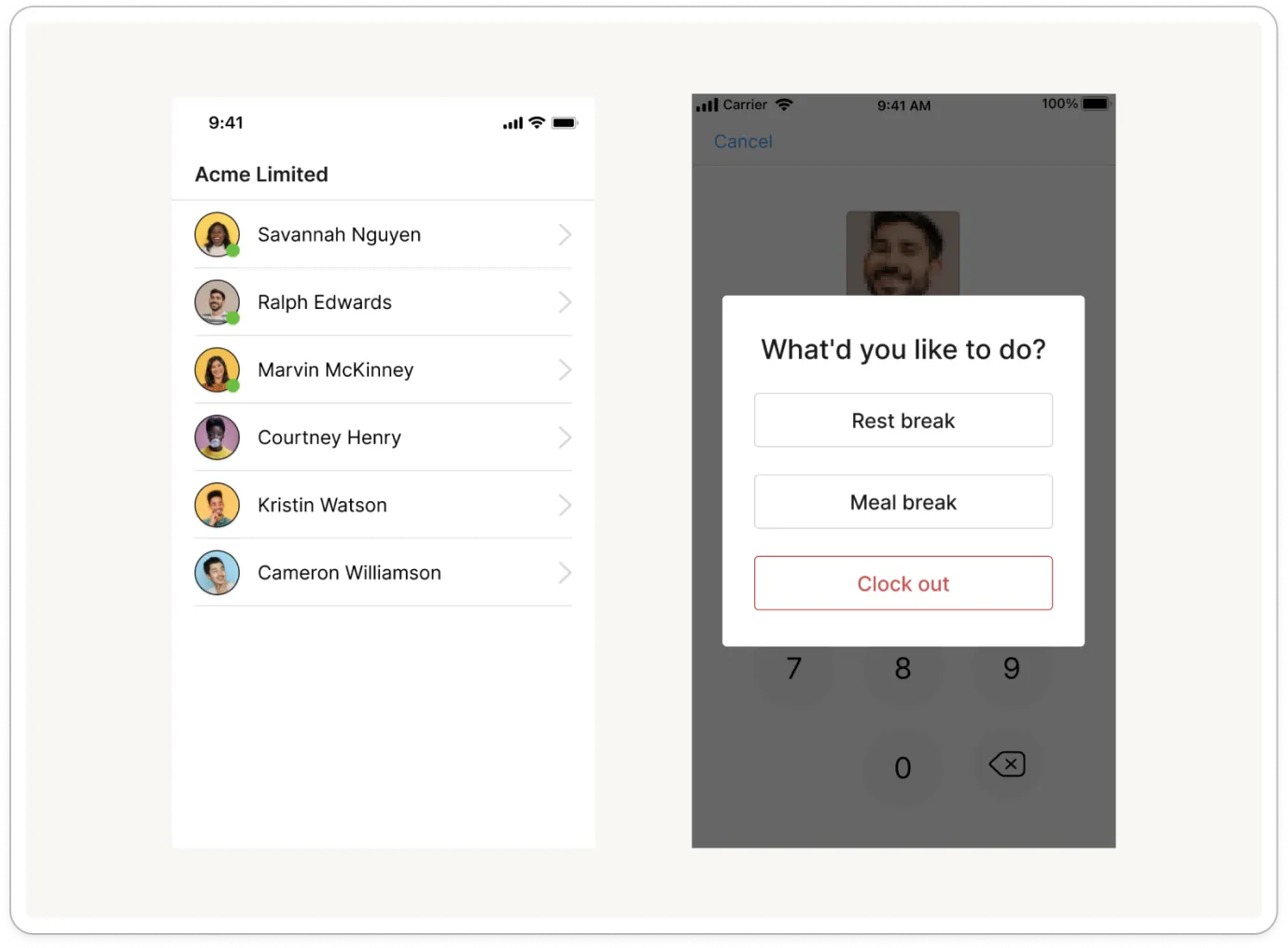
Note: If you don't see this box, your business takes breaks from your rostered shift instead and there is nothing to do. Ask your manager if you're not sure.
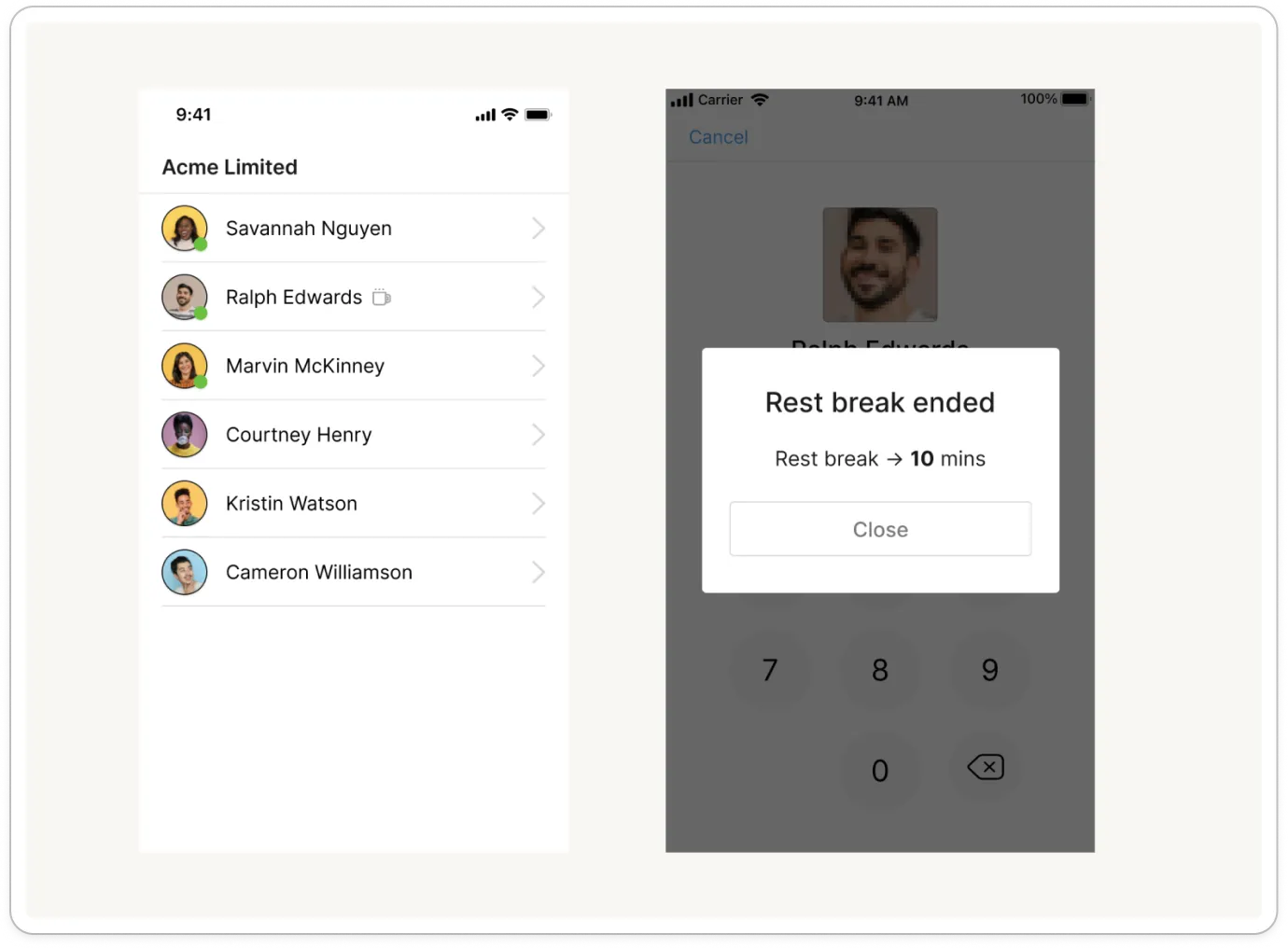
- Take your break. Timble says Rest break started or Meal break started and closes the message on its own. Your phone then shows On rest break or On meal break above Punch; the tablet shows a small break icon beside your name.
- When you come back, punch again the same way. There is nothing to choose: Timble ends the break and shows how long it ran, such as "Rest break → 10 mins".
Note: Rest breaks are paid and meal breaks are unpaid, so only meal break minutes come off the hours for that shift. On your timesheet the rest break shows under Paid break and the meal break under Unpaid break.


