.svg)
Add your shifts to the Calendar app on your iPhone or iPad, so they sit alongside your own plans and keep up with your roster on their own.
- Open Timble and tap Account, the last tab at the bottom.
- Under Settings, tap Calendar Sync.
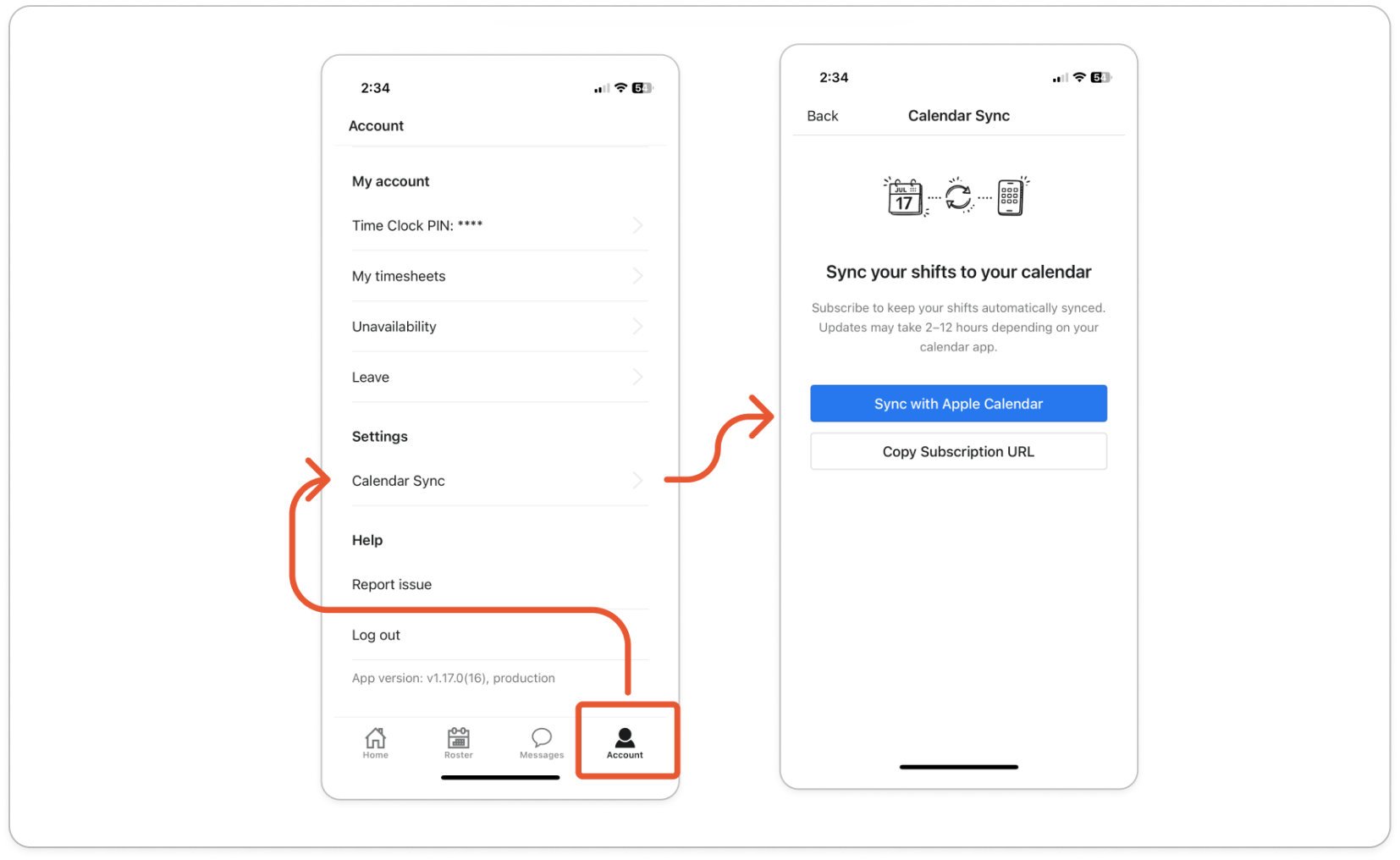
- Tap Sync with Apple Calendar. Your iPhone or iPad opens the subscription and asks you to confirm it.
- Tap Subscribe, then Done.
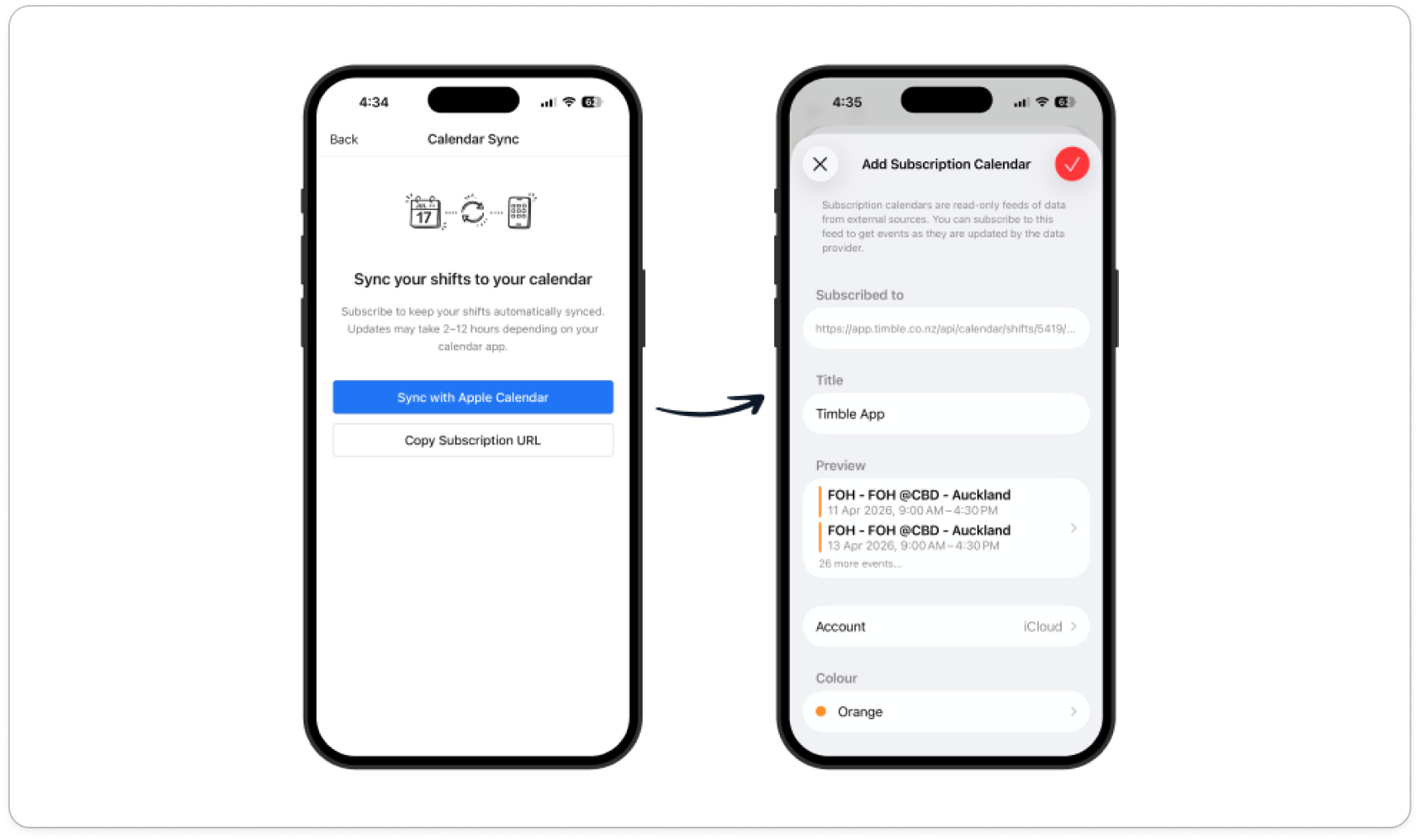
- Open the Calendar app. Your shifts are in a calendar called Timble App, and each one is named after your role and location.
Note: Your calendar checks for roster changes on its own, and an update can take 2 to 12 hours to show. If you need to be sure of a shift, check Timble.


