.svg)
Ask your manager for time off, such as annual leave or sick leave, from your phone.
- Open Timble and tap Account at the bottom.
- Under My account, tap Leave.
Note: If you can't see this in the app, your business hasn't turned it on for members. Ask your manager.
- Tap + in the top right of the Leave screen.
- Tap Leave type, choose one, then tap Done. The rest of the form appears once you have picked a type.
- Leave All day on for whole days off. Tap Starts and Ends to set the first and last day, then check the hours shown for each day. For part of a day, turn All day off and set a Date and Time instead.
Note: If your business shows leave balances to members, your balance for that leave type appears under the dates.
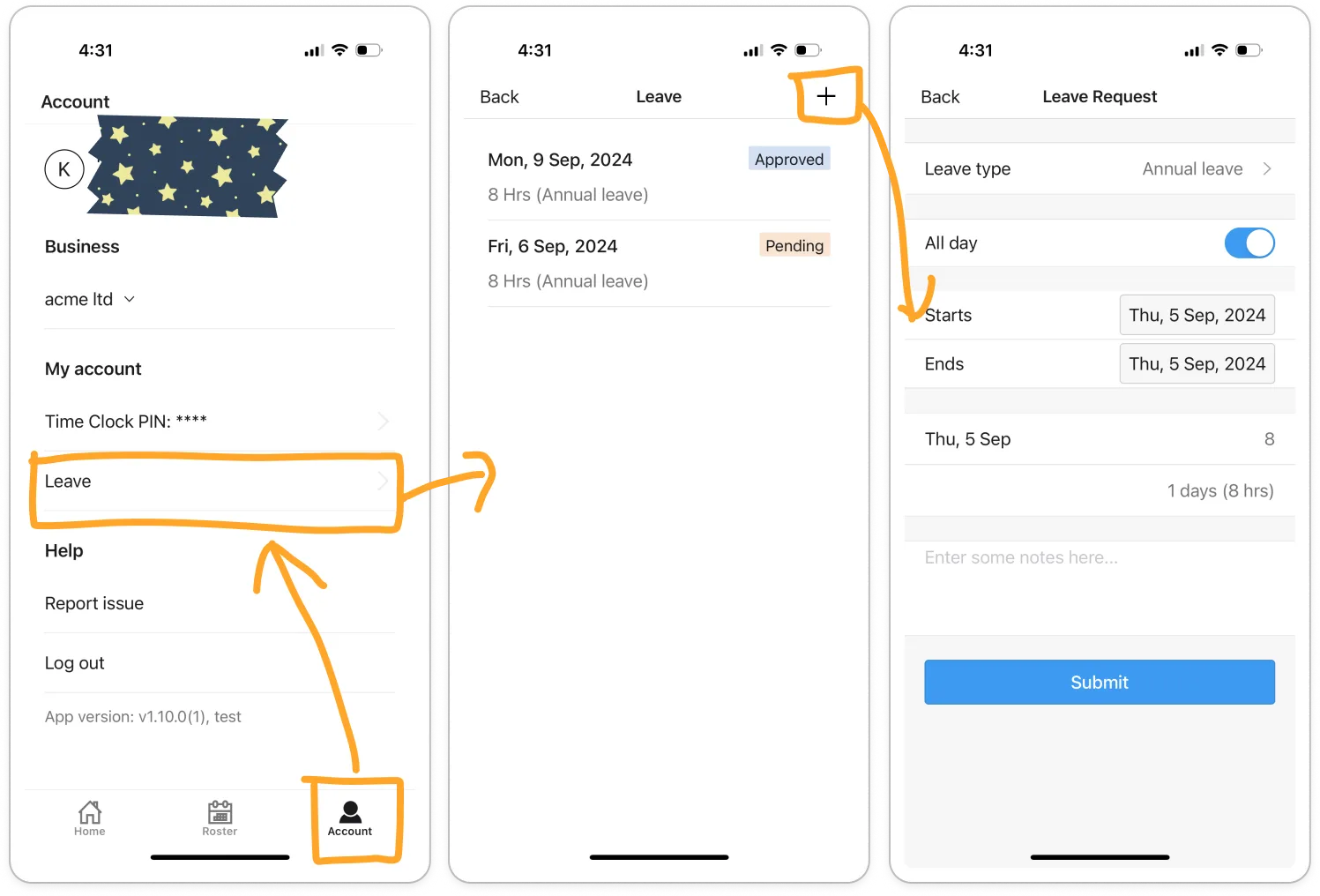
- Type anything your manager should know in the notes box.
- Tap Submit.
Note: Your request waits for a manager to approve it. The Leave screen shows it as Pending, then Approved or Declined once they have dealt with it.
Tip: While a request is Pending, tap it on the Leave screen to Edit or Delete it.


