.svg)
They don't have the Can manage roster permission. Without it, the Roster tab still opens, but it shows the same read-only roster a member sees, with no way to add, edit or publish shifts. The mobile app shows them the member roster too.
To give them access:
- Click your profile picture in the top right, then click Members.
- Click the manager's name, then click Permissions.
- Check that Account type says Manager or Duty Manager.
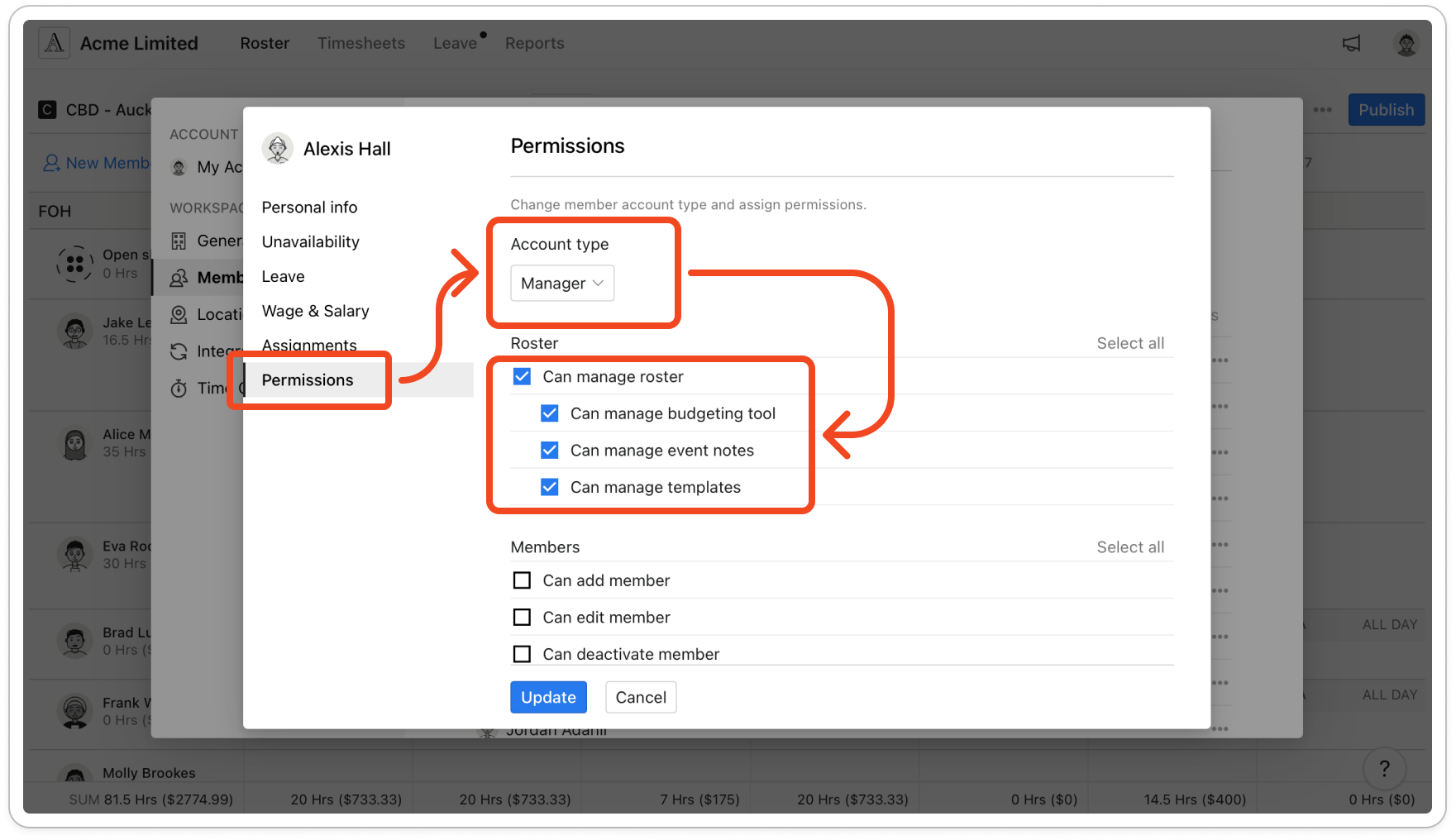
- Under Roster, tick Can manage roster.
- Click Update.
Note: The change shows once the manager refreshes the page on the web, or fully closes and reopens the mobile app.


