.svg)
Check what your next Timble invoice will be, or open a past invoice to download it for your records.
Check your next invoice
- Click your profile picture in the top right, then click Settings.
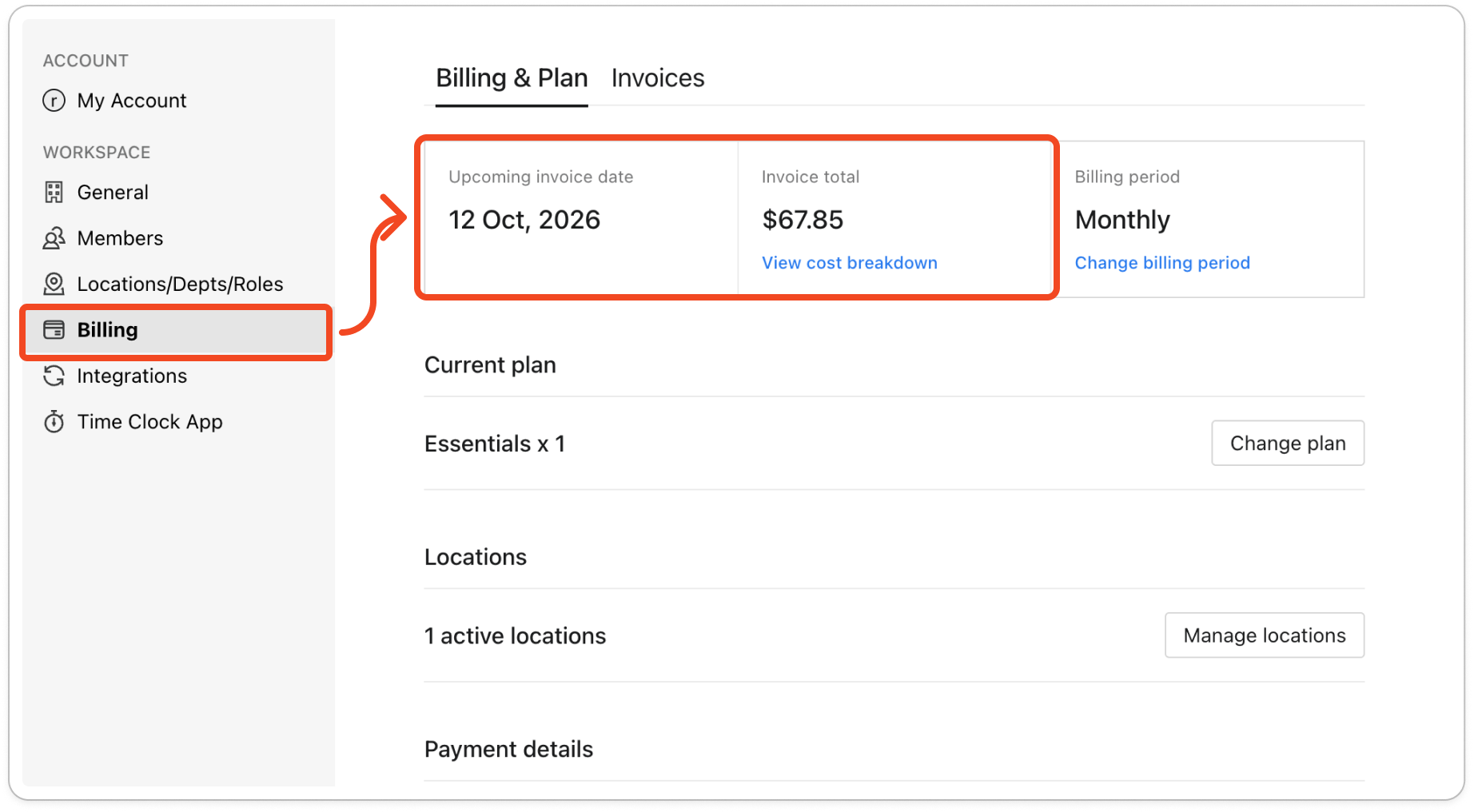
- Click Billing on the left. The Billing & Plan tab opens.
- At the top of the tab, Upcoming invoice date shows when you'll next be billed, and Invoice total shows how much that invoice will be.
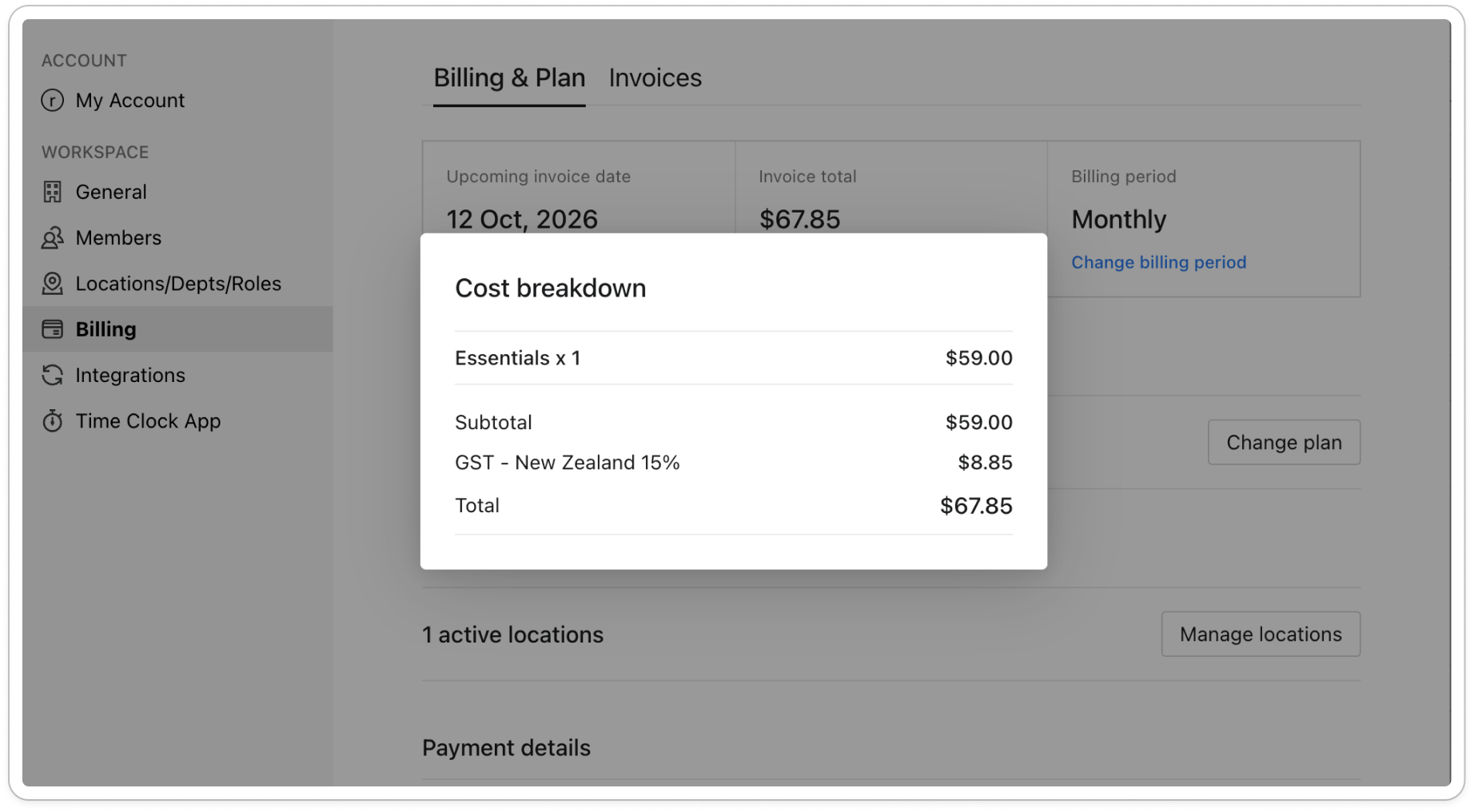
- Under Invoice total, click View cost breakdown. The Cost breakdown window shows your plan multiplied by the number of active locations, then the Subtotal, the GST and the Total.
View or download a past invoice
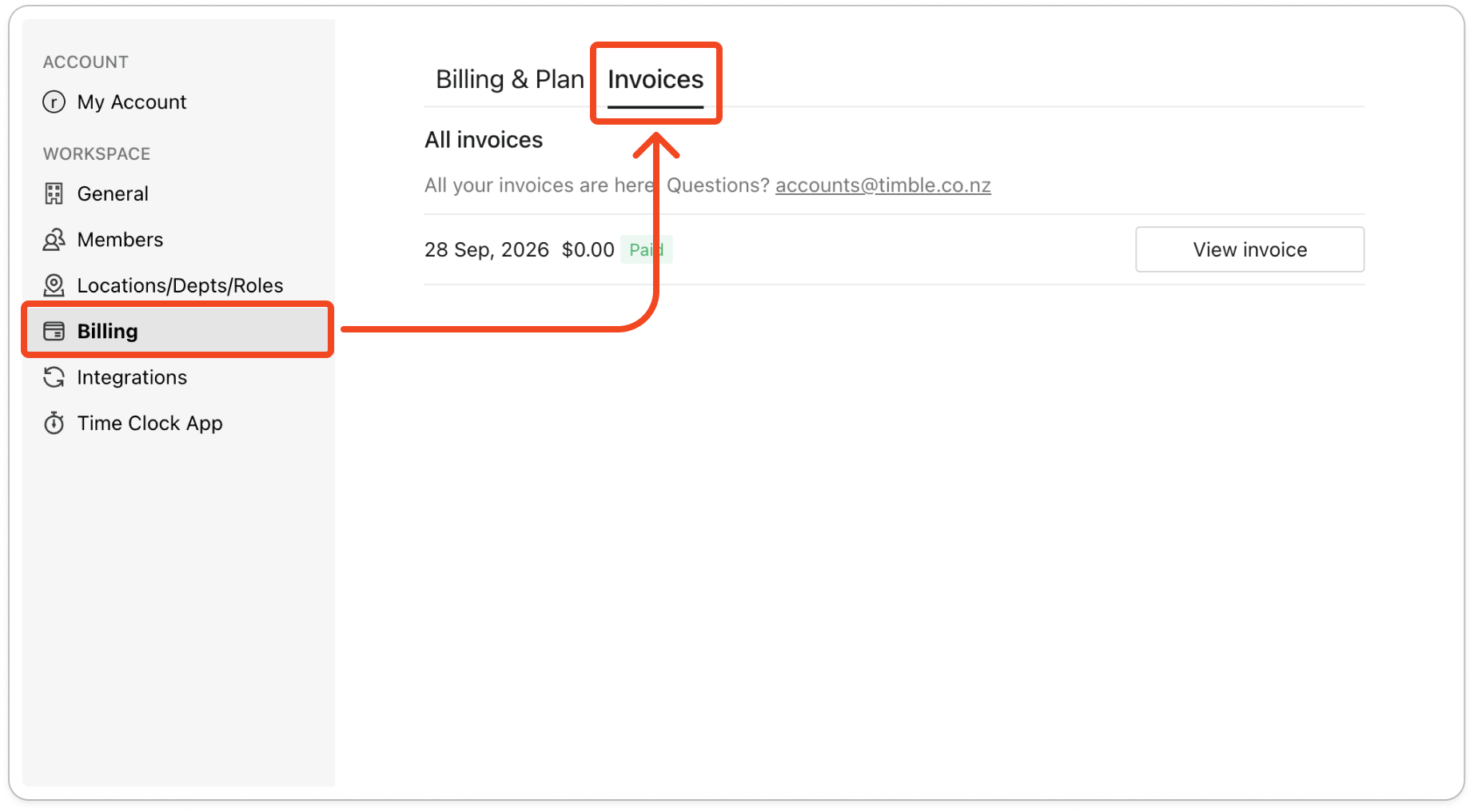
- On the Billing tab, click Invoices at the top, beside Billing & Plan.
- Under All invoices, find the invoice by its date. Each row shows the date, the amount and a Paid label.
- Click View invoice. The invoice opens as a PDF in a new browser tab, where you can download or print it.