.svg)
If you work for more than one business on Timble, move between them with the same login.
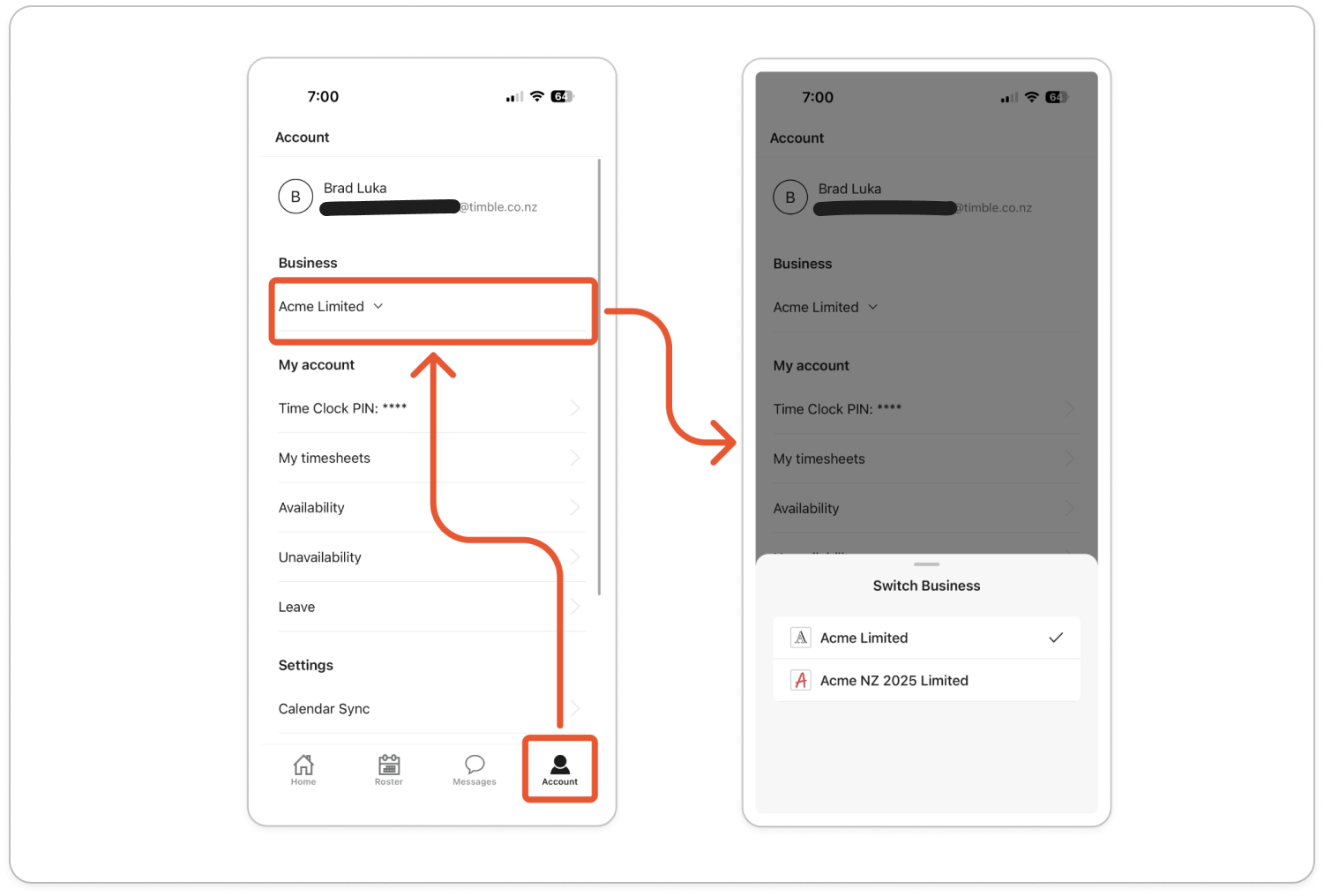
On your phone
- Open the mobile app and tap Account at the bottom.
- Under Business, tap the name of the business you're in now.
- The Switch Business list opens, with a tick beside the business you're in now. Tap the business you want to switch to.
On the web
- Click your business name in the top left. When you belong to more than one business, a small arrow shows beside the name.
Note: If there's no arrow, you belong to only one business, and clicking the name opens Settings instead.
- The list shows your email address at the top, then each business you belong to, with your account type in brackets, such as (Member) or (Manager). A tick marks the business you're in now.
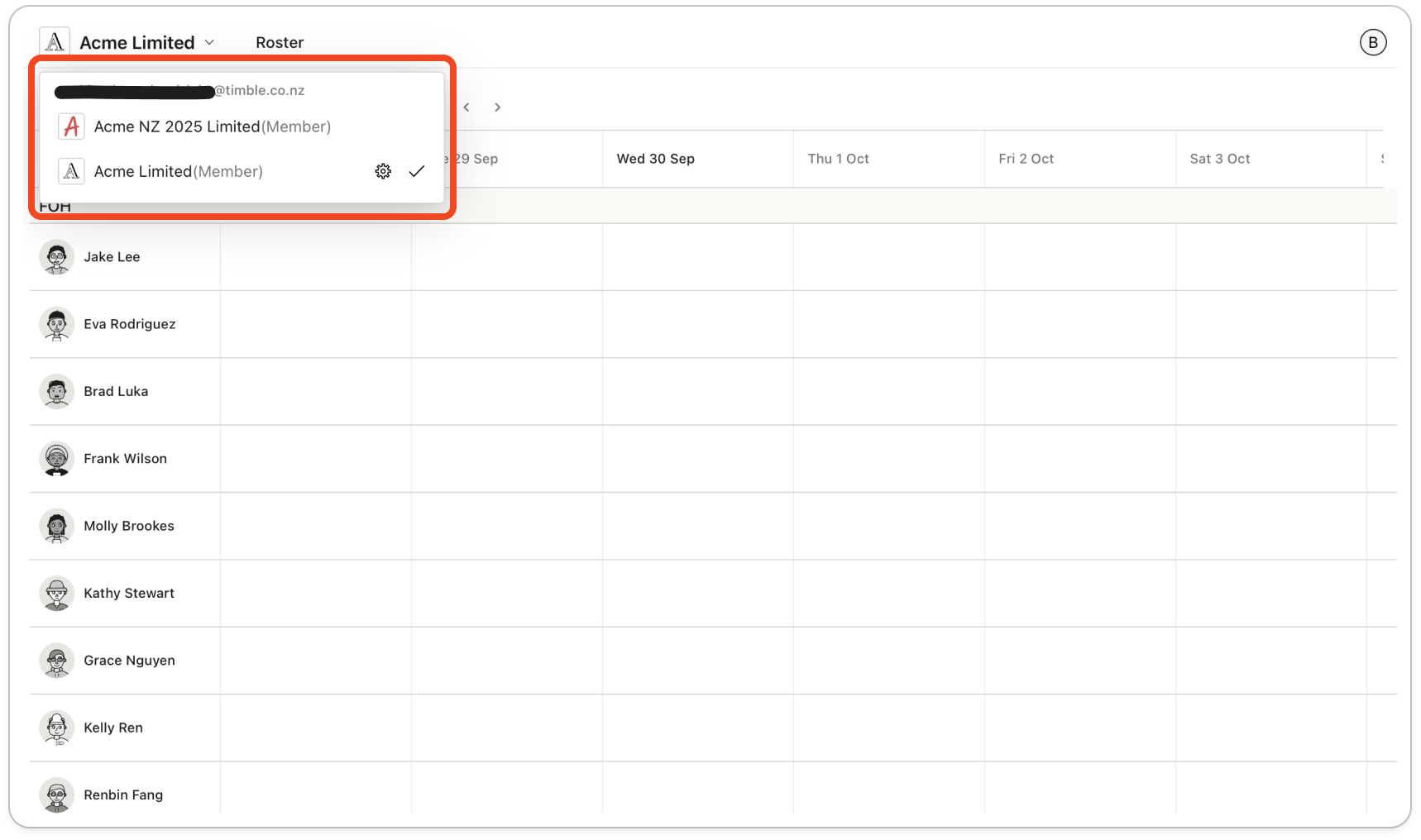
- Click the business you want to switch to. Timble switches to that business straight away.


