.svg)
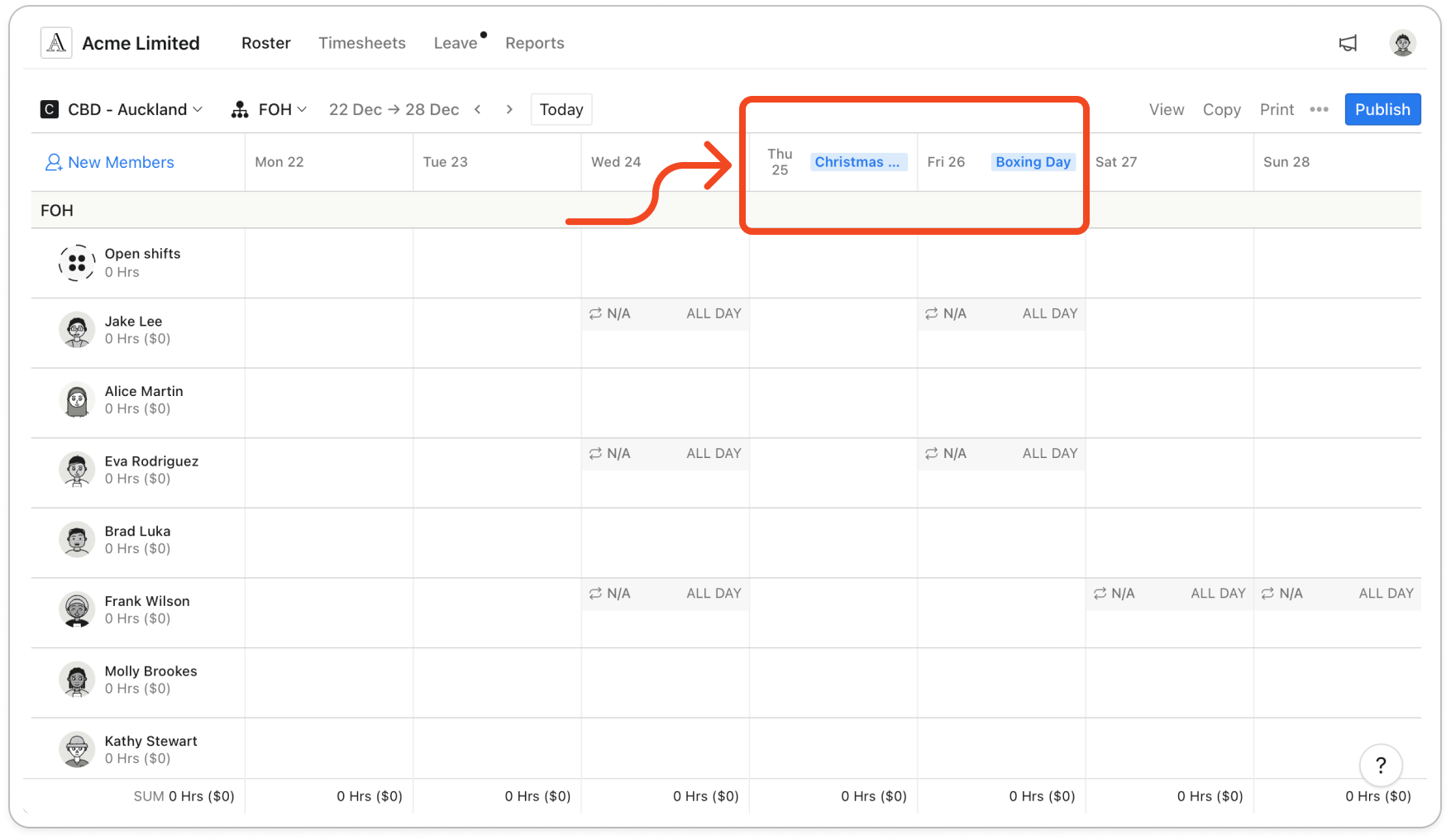
Turn on public holidays so they show on the roster while it's being built.
Turn on public holidays
- Click your profile picture in the top right, then click Settings. It opens on General.
- Under Roster, turn on New Zealand Public Holiday.
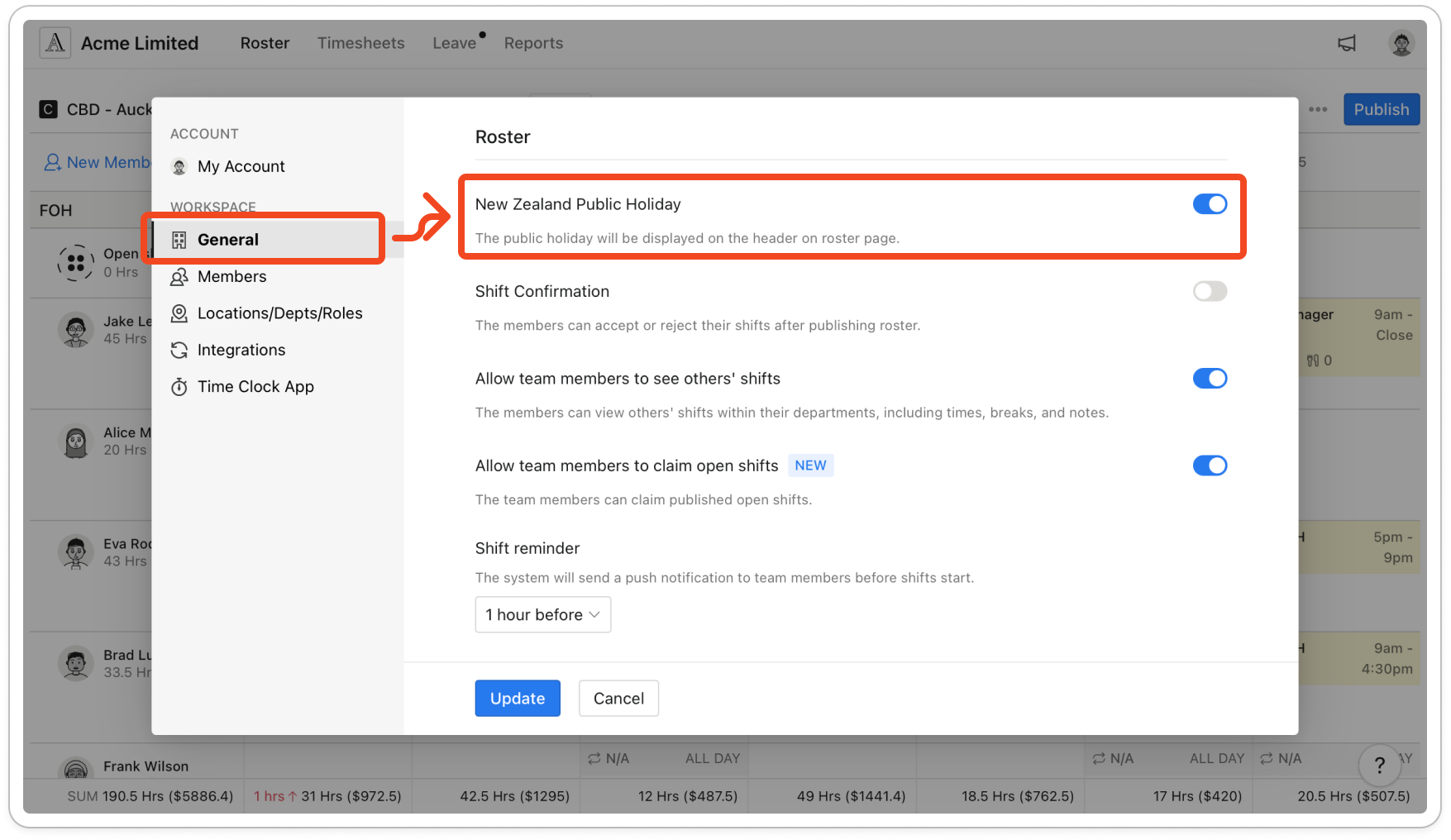
Note: You only see this switch if your business is set up in New Zealand.
- Click Update.
Note: Each public holiday's name now shows as a blue tag in that day's header on the roster, in both the Member and Role views, and on the printed roster. In the fortnightly view, a day that has a daily note shows the note icon instead.