.svg)
Set up a shared tablet at your workplace so your team can clock in and out on it.
- On the tablet, install the Timble Time Clock app from the App Store or Google Play, then open it.
- Enter your own Email and Password, and tap Log in.
Note: If you see "Time Clock App is not enabled in your business settings", turn on the time clock in the web app first. The Turn on the time clock for your business guide shows how.
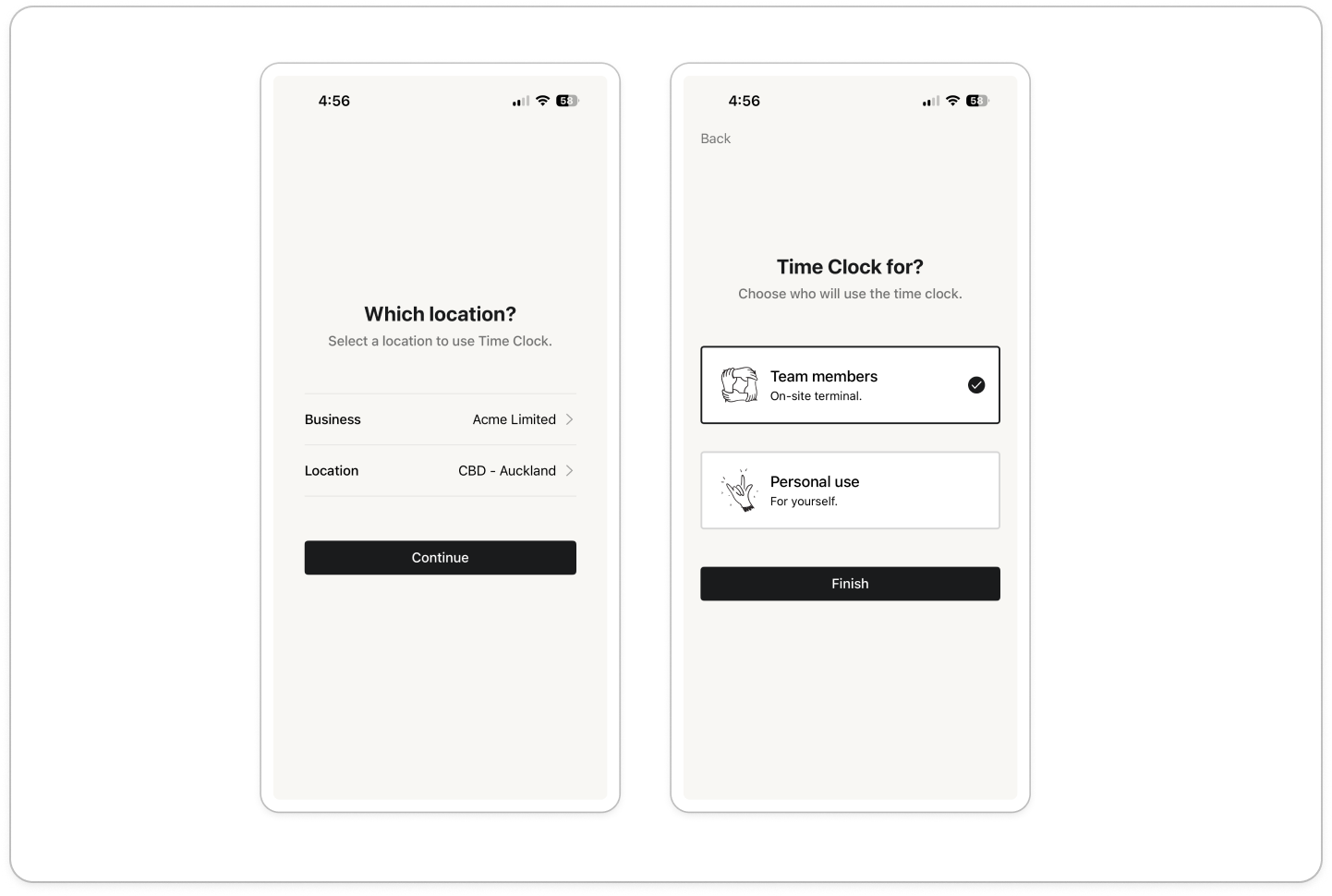
- On the Which location? screen, check that Business already shows the right business.
Note: A business only appears in this list once the time clock is turned on for that business.
- Tap Location, tap the location where the tablet will stay, then tap Done.
Note: The list only shows locations you're assigned to. If a location is missing, assign yourself to it in the web app first.
- Tap Continue.
- On the Time Clock for? screen, tap Team members, the option described as "On-site terminal.", then tap Finish. Don't pick Personal use on a shared tablet, because Personal use is for clocking yourself in on your own phone.
- The tablet now lists the members assigned to that location, with the location name at the top. A green dot beside a name means that member is clocked in. Leave the tablet on this screen, so each member can tap their own name and enter their PIN to clock in or out.
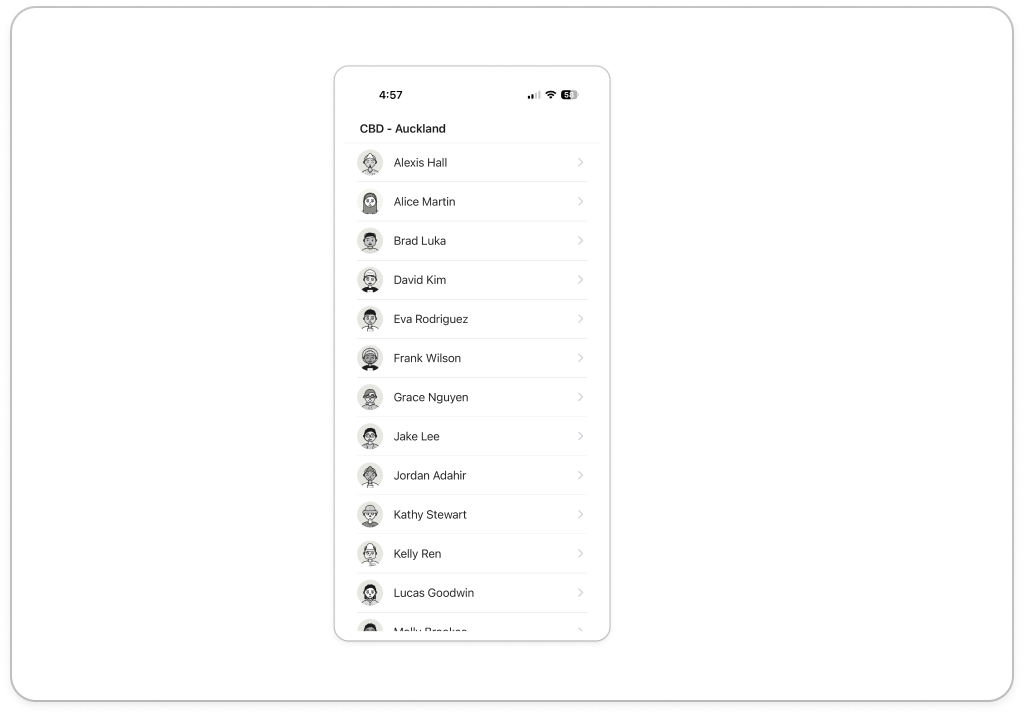
Note: The tablet stays logged in and opens on the members list every time. If you see "No members in this location.", assign members to that location in the web app, then pull down on the list to refresh it. There is no log out button on the tablet.


