.svg)
Choose how the start and finish times on timesheets are rounded when members clock in and out.
- Click your profile picture in the top right, then click Settings.
- Click Time Clock App.
- Scroll down to Timesheets rounding and choose a Rounding period: None, 5 minutes, 10 minutes, 15 minutes, 20 minutes or 30 minutes. Every rounding rule below uses the period you choose here. If you choose None, no times are rounded.
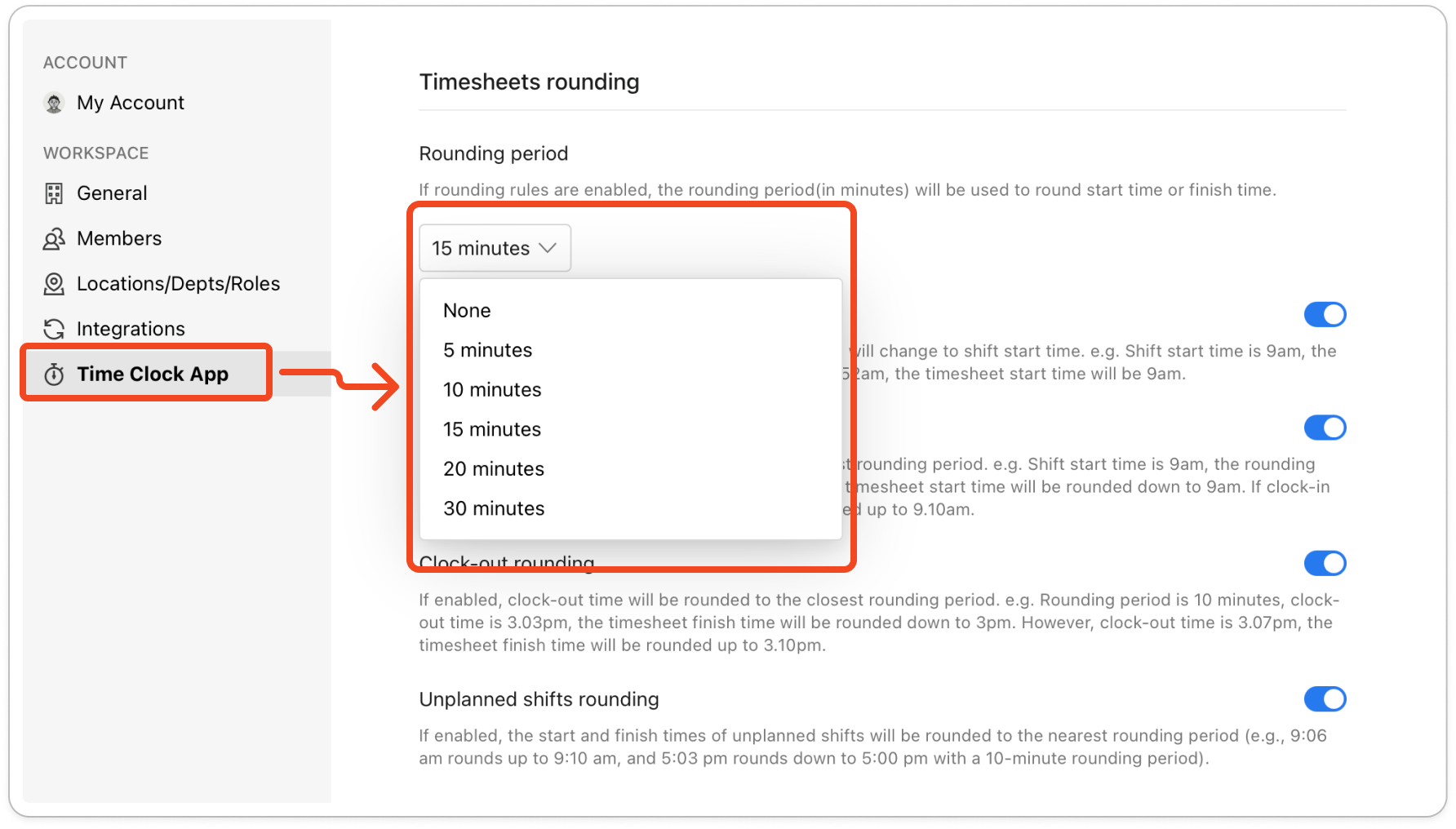
- Turn on the rules you want, and each change saves straight away.
In these rules, a shift means the member's rostered shift: the shift on your published roster in Timble for that day and location. It doesn't mean the hours a member usually works. The first three rules only apply when the member has a rostered shift, and Unplanned shifts rounding covers every other clock-in.
The examples below use a 15-minute rounding period and a rostered shift that starts at 9am.
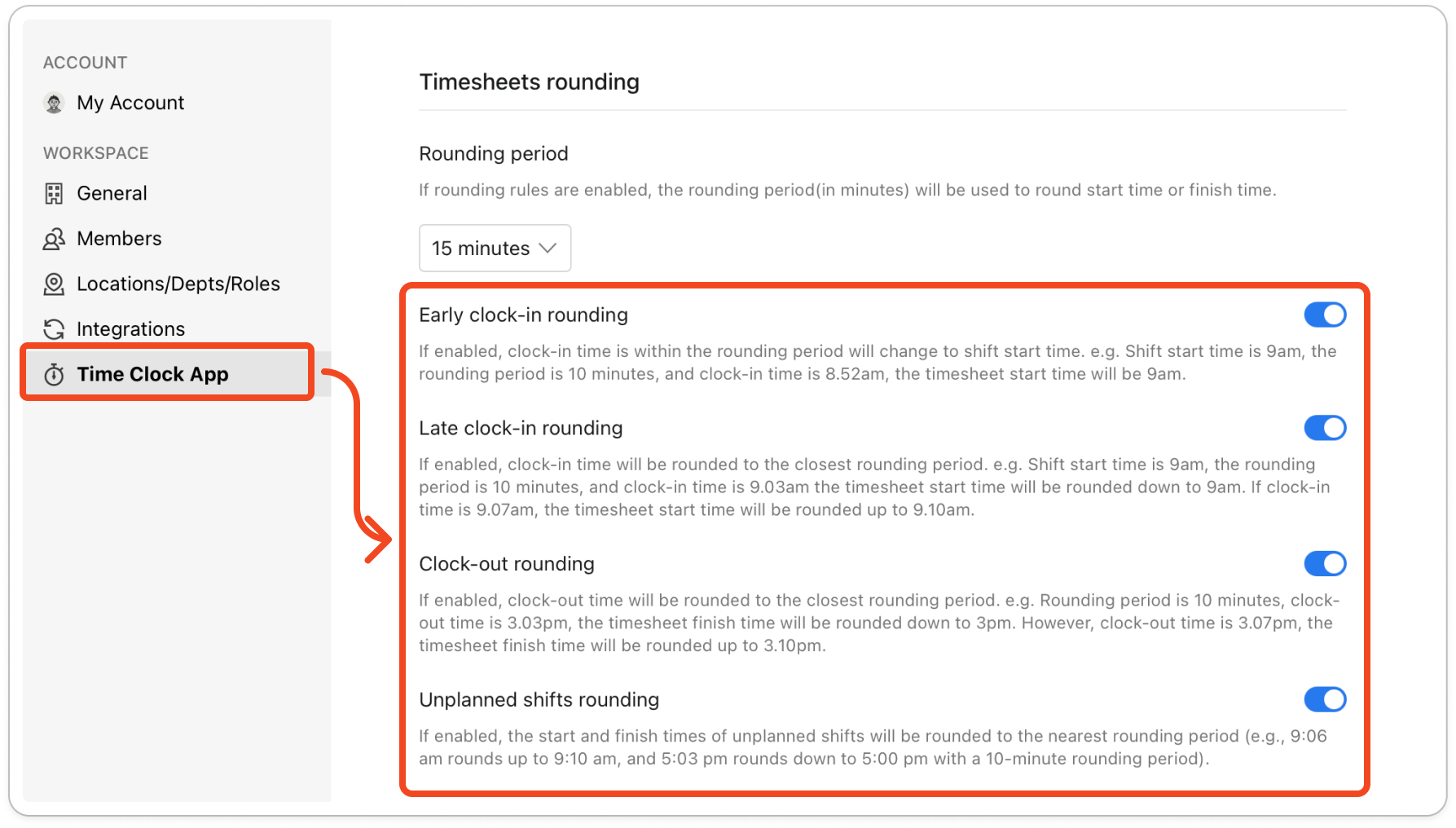
- Early clock-in rounding: when a member clocks in during the rounding period before their rostered shift starts, the timesheet records the shift start time instead. A clock-in at 8.50am becomes 9am, and a clock-in before 8.45am keeps its real time.
- Late clock-in rounding: when a member clocks in after their rostered shift has started, the clock-in time is rounded to the nearest 15 minutes. A clock-in at 9.07am becomes 9am, and a clock-in at 9.08am becomes 9.15am.
- Clock-out rounding: the time a member clocks out is rounded to the nearest 15 minutes. A clock-out at 3.05pm becomes 3pm, and a clock-out at 3.10pm becomes 3.15pm.
- Unplanned shifts rounding: when a member clocks in with no rostered shift at that location that day, both the start time and the finish time are rounded to the nearest 15 minutes. A start at 9.06am becomes 9am, and a finish at 5.10pm becomes 5.15pm.
Note: Rounding happens when a member clocks in or out, so timesheets that are already recorded don't change. Rounding can move a time up or down, so it can shorten a timesheet as well as lengthen it.


