.svg)
Get a member into Timble when their invitation has gone astray, or back in when they have forgotten their password.
Resend an invitation
- Click your profile picture in the top right, then click Members.
- Click the member's name. A member who hasn't accepted yet shows (Invited) beside their name, and one who was never sent an invitation shows (Not invited).
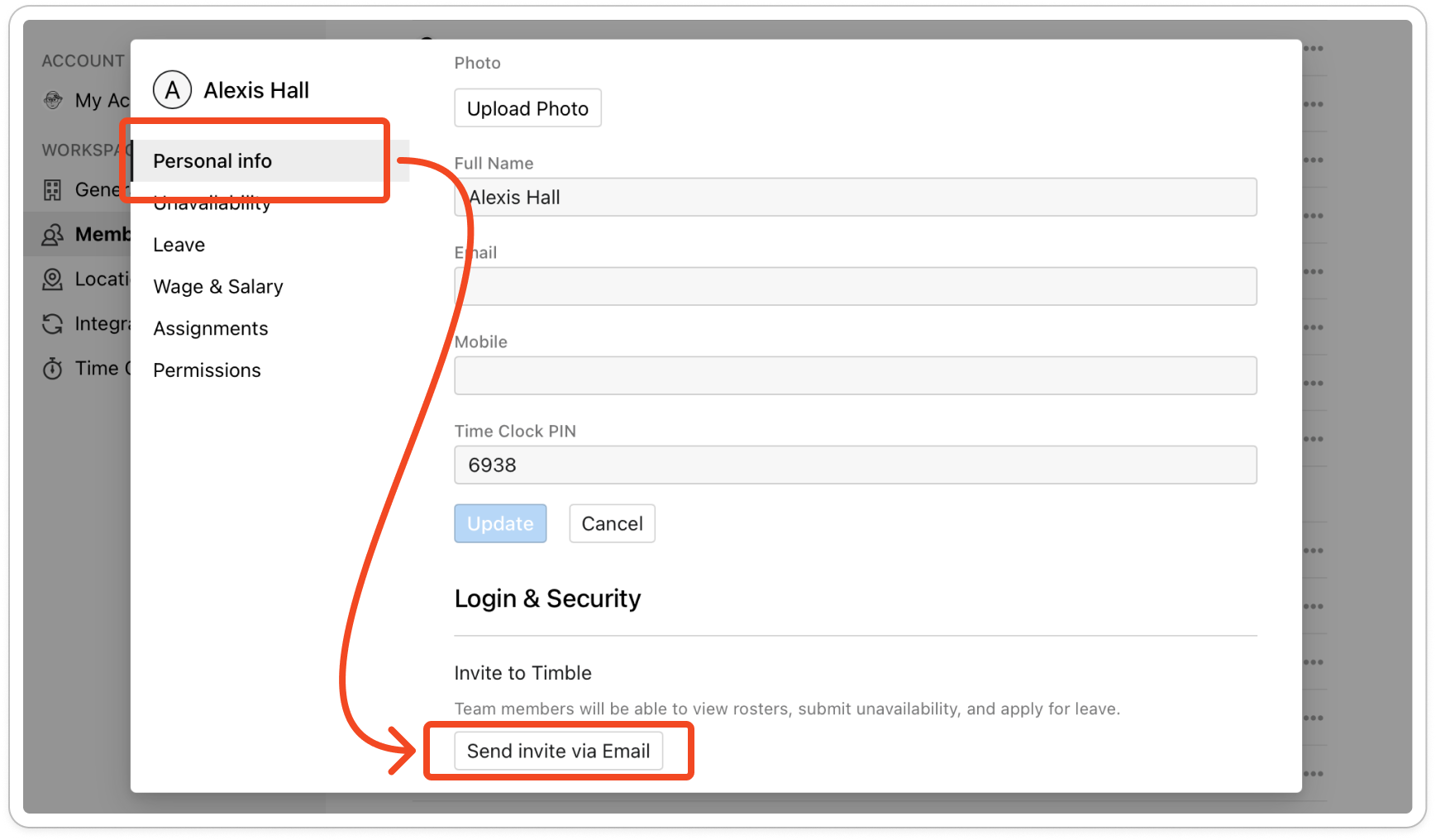
- On the Personal info tab, scroll down to Login & Security.
- Under Invite to Timble, click Send invite via Email. Sent! appears beside the button and the member gets a new invitation email.
Note: The button needs an email address on the member's profile. If there isn't one, add it under Personal info and click Update first.
Tip: To send invitations to several members at once, click Invite Members above the members list, tick the members and click Invite. That list only shows members who haven't joined yet.
Send a password reset
- Click your profile picture in the top right, then click Members, then click the member's name.
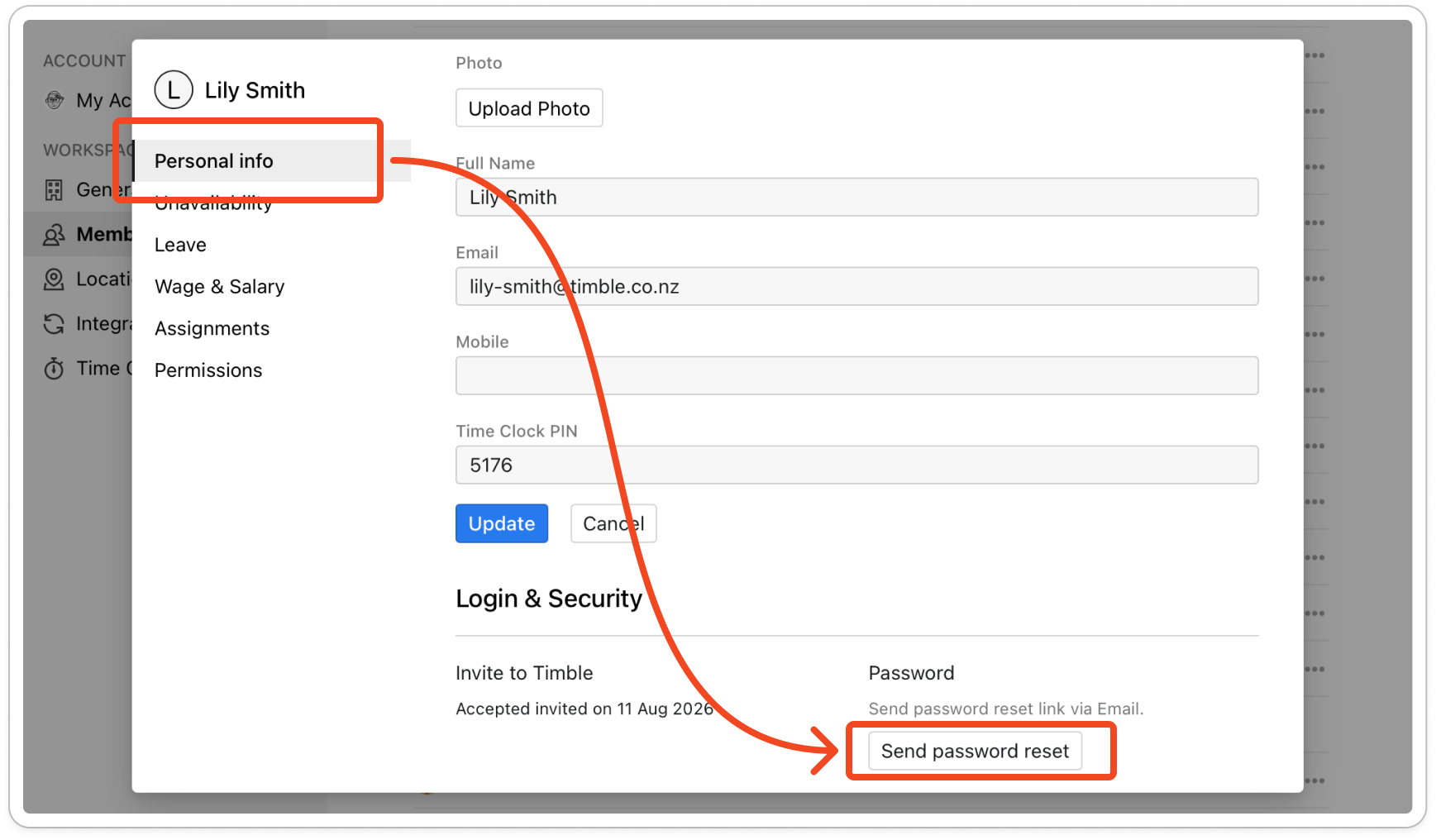
- On the Personal info tab, scroll down to Login & Security. Once a member has joined, this shows the date they accepted and a Password section.
- Click Send password reset. Sent! appears beside the button and the member gets the password reset email, with a link to choose a new password.