.svg)
Locations, departments and roles decide where your team works and what they do there. Every shift sits in one location, one department and one role, so these come before any rostering.
How it works
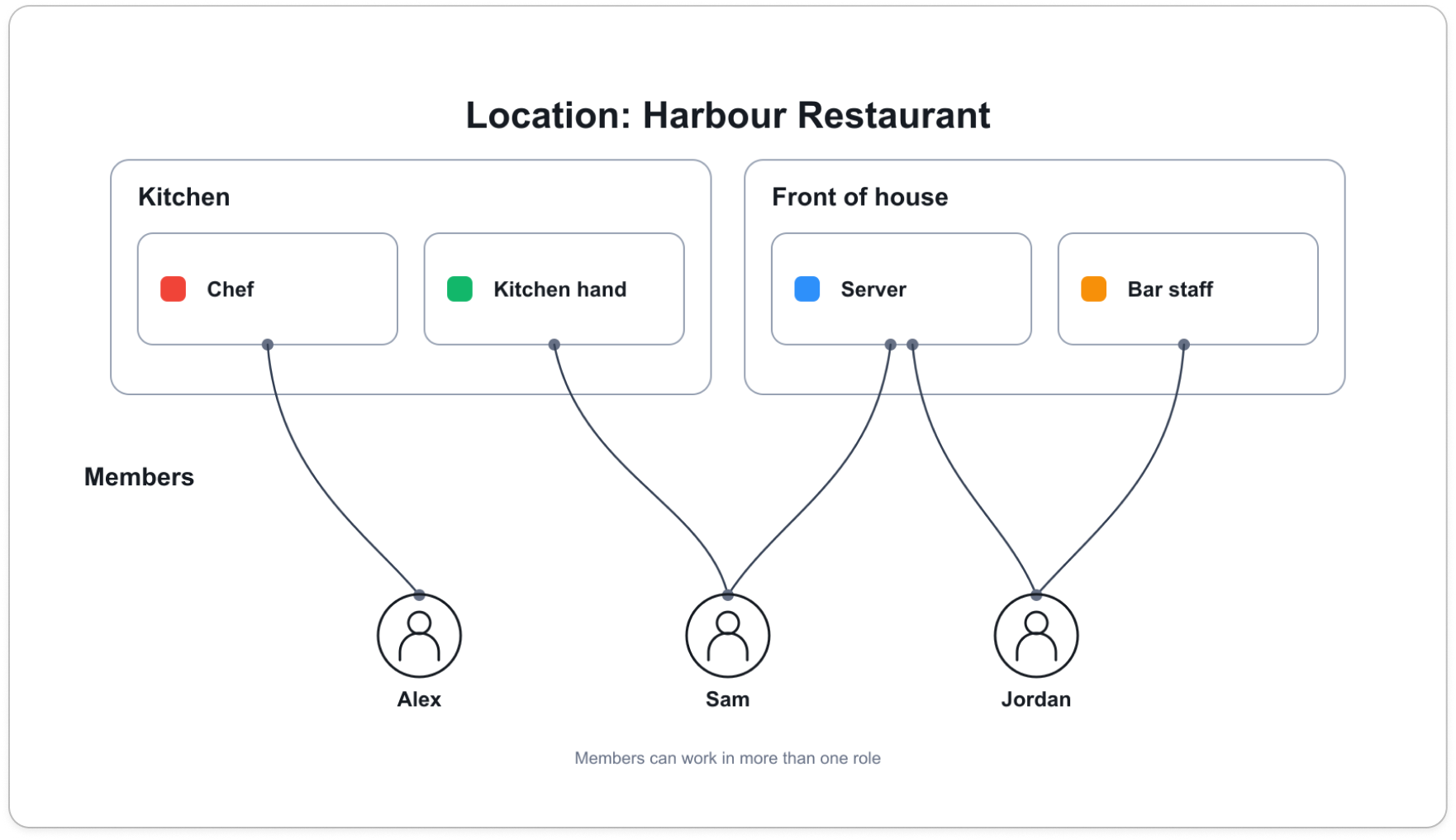
- A location is a place your team works. Most businesses have one. Each extra site is its own location, with its own operating hours.
- A department is a group within one location, such as Kitchen or Front of house. The same name at two sites is two departments.
- A role is the work someone is rostered to do on a shift. Each role belongs to one department, has a colour, and can carry default hours and breaks for new shifts.
- Members are assigned to the roles they work, which places them in that department and location. Someone can hold several roles.
Who does what
Admins set up all three. Only an admin can add, rename or delete a location or a department.
Managers roster with what is there, picking the location, department and role for each shift. A manager can also be given the ability to add and edit roles, but not locations or departments.
Members see the result only: the role colour on their shifts, and the location and department on a shift's details.


