Cancel your account subscription

Guide

Cancel your business's Timble subscription from the Billing tab. Timble keeps working until the end of the current billing period, and you can reactivate before then.

Cancel the Timble subscription for your whole business. Everyone keeps full access until the end of the billing period you've already paid for.

  1. Click your profile picture in the top right, then click Settings.
  2. Click Billing on the left. The Billing & Plan tab opens.
  3. Scroll to the bottom of the tab and, under Account subscription, click Cancel account subscription.
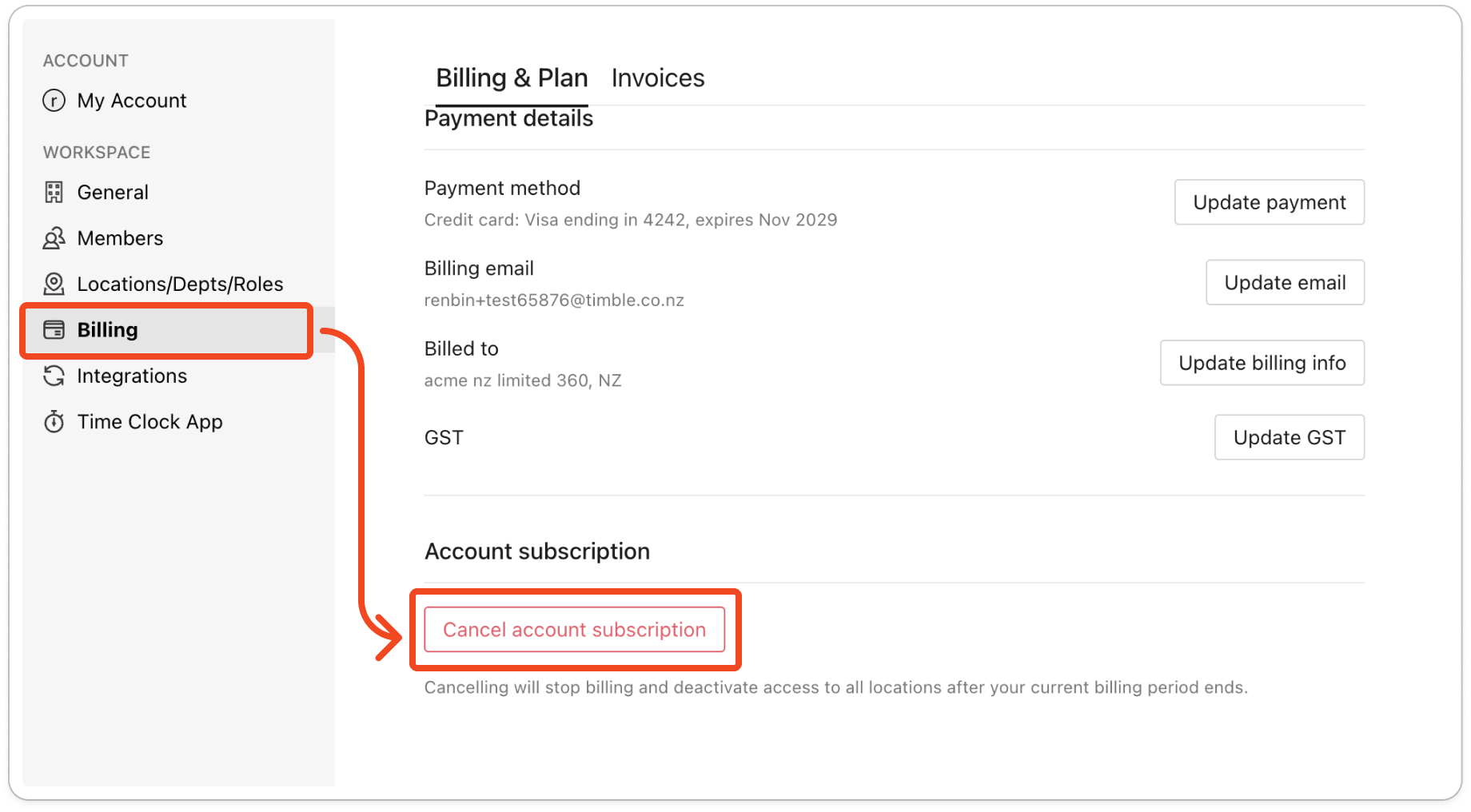
The Billing & Plan tab scrolled to the bottom, with the red Cancel account subscription button under Account subscription and the line about billing stopping after the current billing period ends. assets/imported/51000499375-1.png shows this screen with current labels, but the Freshdesk arrow and boxes are drawn on it and the Payment details heading is cut off

If your account is on manual billing

The Billing & Plan tab says "Your account is on manual billing." and has no cancel button. To cancel, email support@timble.co.nz.